PG Songbook1.5
Publisher Description
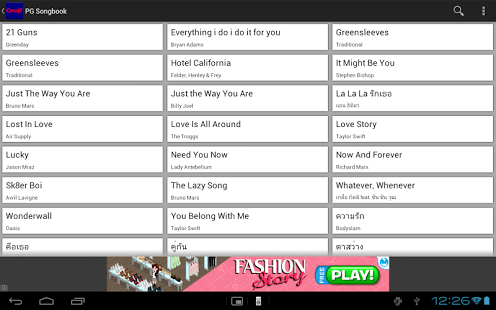
PG Songbook is a viewer of chordpro file, which represents your library of chord sheets you may have.
DISCLAIMER:
There is no song distributed with the application due to copyright reason. Also the author does not responsible for any copyright infringement made by the users.
FEATURES
* Support subset of chordpro features :- title, subtitle, lyric chord, chorus section, comments, and tab.
* Support both phone and tablet, from 2.1 to 4.0 devices.
* Color theme.
* limited chord transpose.
Currently only import file from SD Card or internal storage, and open file from other applications are supported. Cloud base storage support is still in-development
KNOWN ISSUES:
1. In older android releases, lyric text may be placed incorrectly and caused the undesirable results. This is due to Android library. Currently I'm trying to find the solution.
For any suggestions please feel free to email me at songbook@playground-soft.com.
About PG Songbook
The company that develops PG Songbook is Playground-Soft.com. The latest version released by its developer is 1.5. This app was rated by 8 users of our site and has an average rating of 2.5.
To install PG Songbook on your Android device, just click the green Continue To App button above to start the installation process. The app is listed on our website since 2013-06-13 and was downloaded 409 times. We have already checked if the download link is safe, however for your own protection we recommend that you scan the downloaded app with your antivirus. Your antivirus may detect the PG Songbook as malware as malware if the download link to com.playground_soft.chord is broken.
How to install PG Songbook on your Android device:
- Click on the Continue To App button on our website. This will redirect you to Google Play.
- Once the PG Songbook is shown in the Google Play listing of your Android device, you can start its download and installation. Tap on the Install button located below the search bar and to the right of the app icon.
- A pop-up window with the permissions required by PG Songbook will be shown. Click on Accept to continue the process.
- PG Songbook will be downloaded onto your device, displaying a progress. Once the download completes, the installation will start and you'll get a notification after the installation is finished.
Program Details
System requirements
Download information
Pricing
Version History
version 1.5
posted on 2013-06-13
Several fixes and updates
version 1.5
posted on 2013-06-13
* Revamps UI design. Now the main screen has the artist filter hidden in the left side. To open the artist list filter, simple press the application's home button, or swipe-in from the left side.,* Smart ad-banner. The ad banner will be loaded dynamically according to the device's screen size.,* Application crashes on pre-3.0 devices are now fixed.,* Regression: Help menu is temporary hidden. This will be fixed in the upcoming version.
